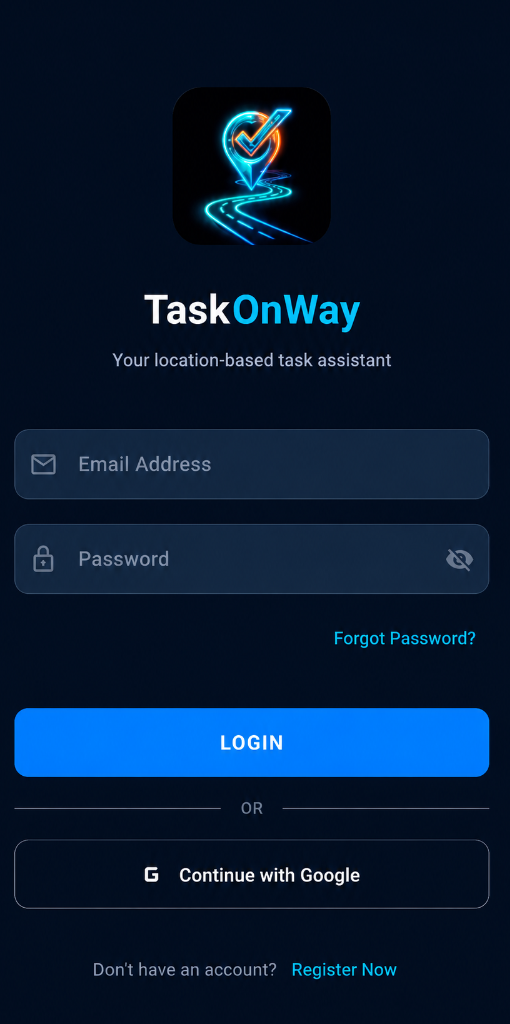
Sign up with your email or tap "Continue with Google" for a one-tap login. Your data stays secure with Firebase Authentication.
📧 Email LoginG Google Sign-In🔒 Firebase Secured
STEP 02
Complete Your One-Time Setup
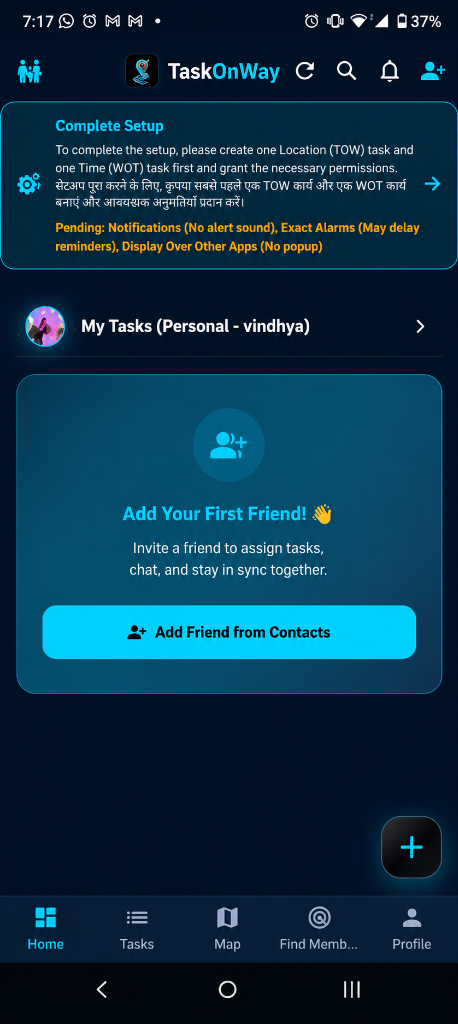
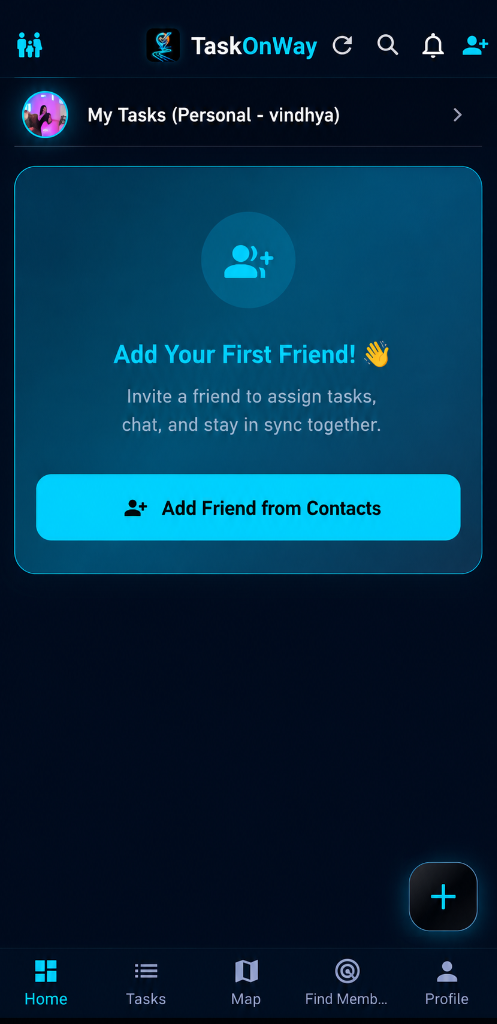
After signing in, you'll see a setup guide right on your Home screen. It walks you through creating your first task and granting essential permissions — just follow the simple steps to get started!
🚀 Guided Setup✅ Quick Onboarding🏠 Home Screen
STEP 03
Create Your First Location Task
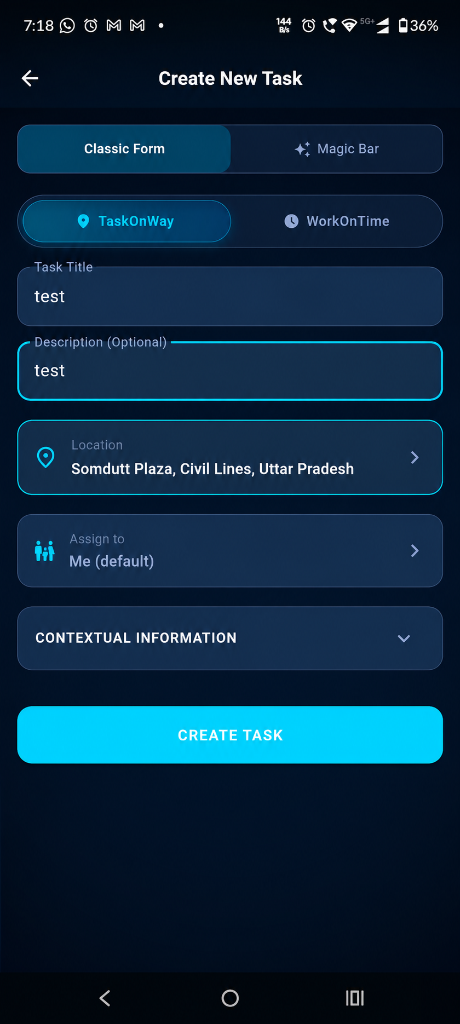
To finish setup, create a quick test task — pick a location on the map, add a title and description, and tap "Create Task". This helps the app configure geofence alerts for you automatically.
📍 Pick Location📝 Create Task⚡ Quick Test
STEP 04
Grant Essential Permissions
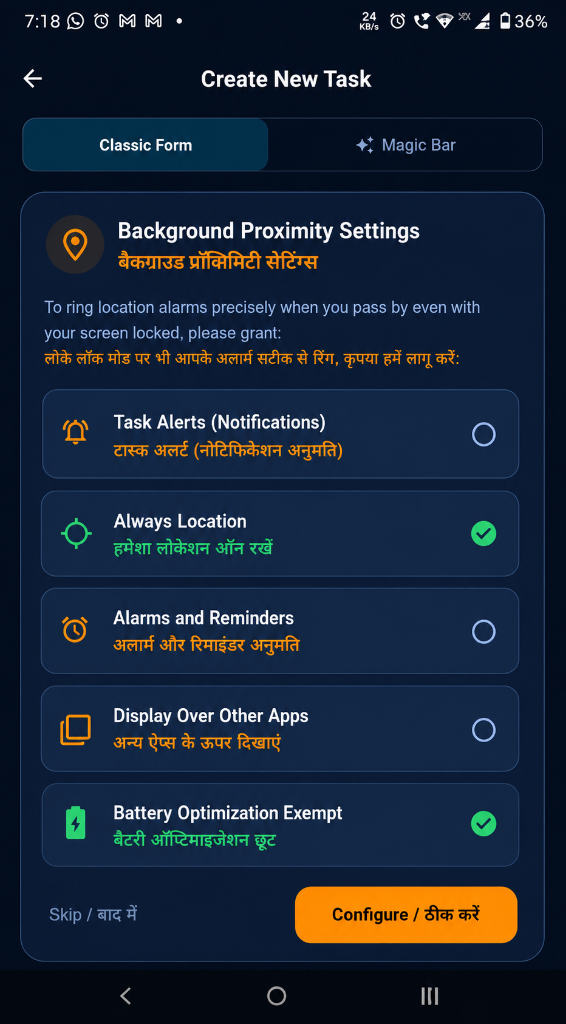
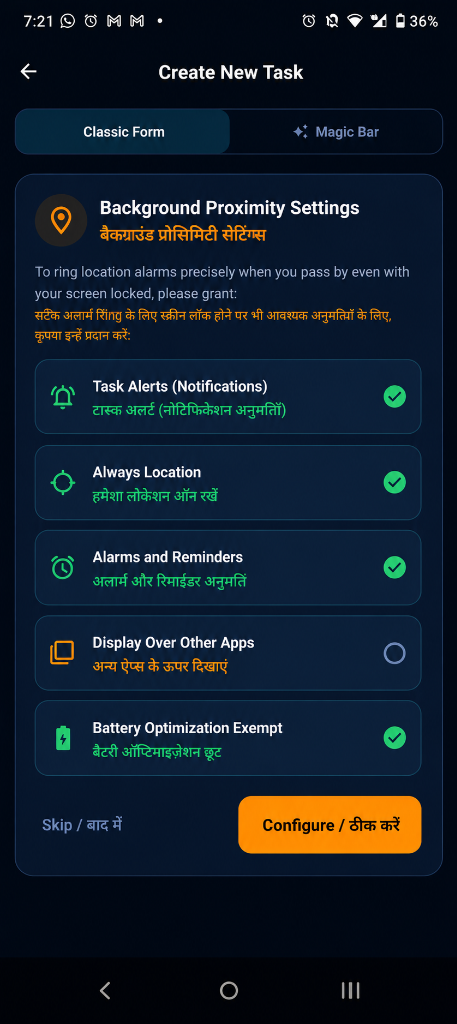
TaskOnWay needs a few key permissions to work its magic in the background — location access, notifications, alarms, and overlay display. Tap "Configure" to allow them one by one.
Once every permission shows a green checkmark, you're good to go! TaskOnWay can now ring location alarms precisely — even when your phone is locked or the screen is off.
✅ All Granted🔒 Works Locked🎯 Precision Alerts
STEP 06
Add Friends & Build Your Team
Invite friends and family from your contacts. Create shared groups like "Family", "Office Team" or "Roommates" to coordinate tasks together.
👥 Add from Contacts📱 WhatsApp Invite🤝 Shared Groups
STEP 07
Your Command Center
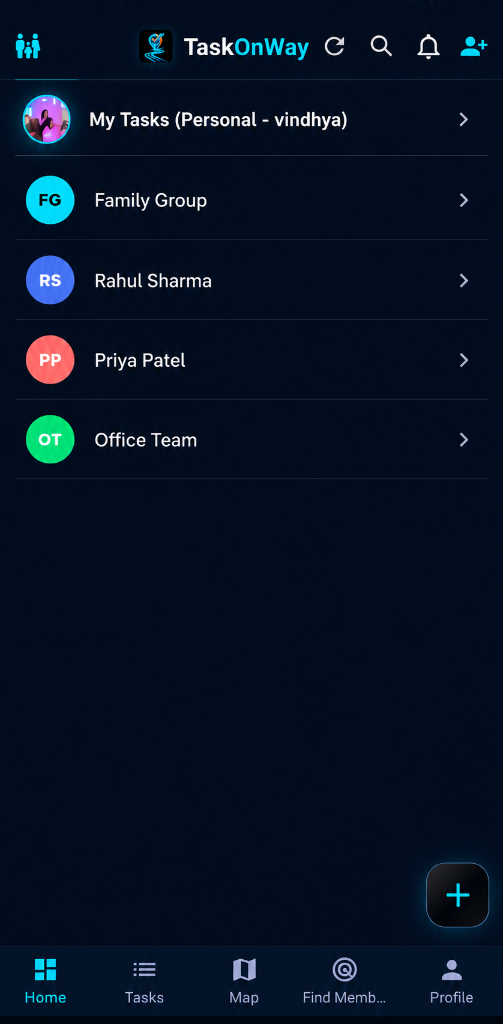
See all your personal tasks, family groups, and team boards in one clean dashboard. Tap any group to view assigned tasks, chat, and track progress.
🏠 Personal Tasks👨👩👧 Family Groups🏢 Office Teams
STEP 08
Set Location-Based Task Reminders
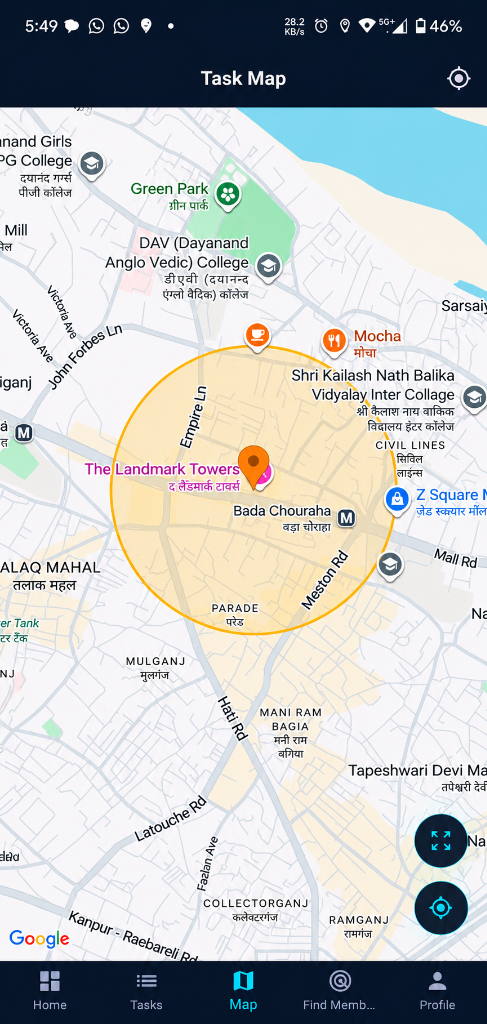
Drop a pin on the map, set a geofence radius, and assign a task. When you or your team member enters that area — the app triggers a smart alert automatically.
📍 Drop Pin on Map⭕ Set Geofence Radius🔔 Auto-Trigger Alert
STEP 09
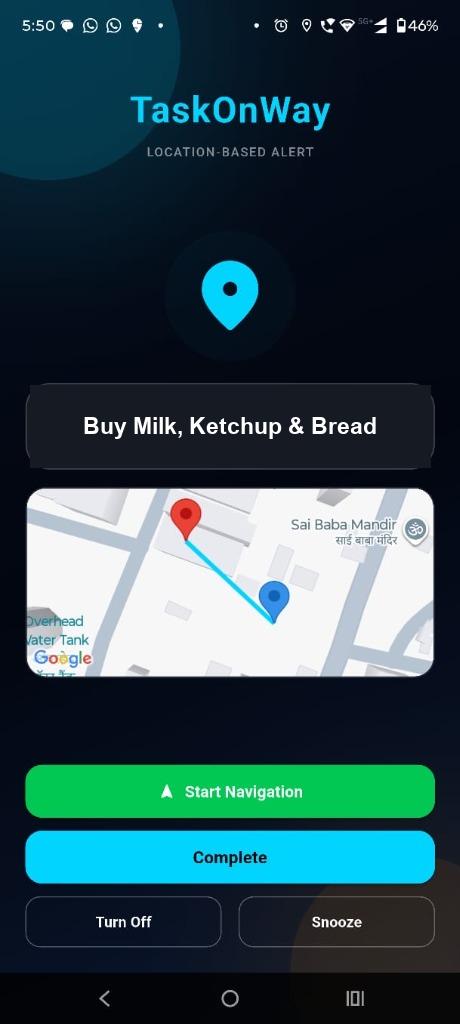
Get Voice Alerts When You Arrive
No more checking your phone! TaskOnWay speaks out loud: "Market aane wala hai, sabzi le lo!" — even when your screen is locked. Supports English & Hindi voice notifications.
🔊 Voice Notification🇮🇳 Hindi + English📴 Works Locked
Ready to Never Forget Again?
Join thousands of users who rely on TaskOnWay to manage errands, groceries, office tasks, and family coordination — all powered by smart location alerts.